
# The Skill/Memory Boundary: What Belongs Where
## Introduction: two stores, one agent
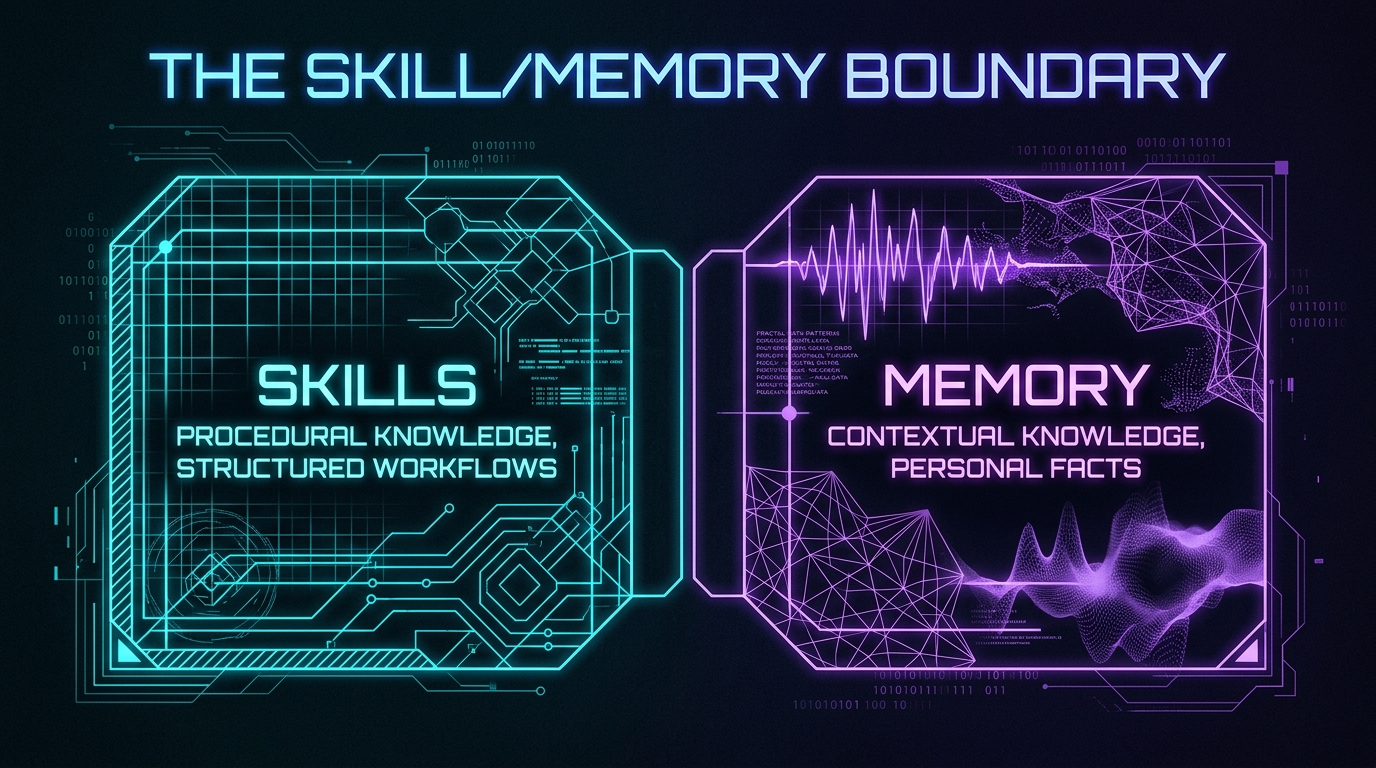
Every Hermes agent runs on two kinds of persistent knowledge: skills and memory. Skills define what the agent *can do* — workflows, commands, decision trees. Memory defines what the agent *knows* — preferences, environment facts, lessons learned. Both survive across sessions. Both shape agent behavior. And the line between them is the single most consequential design decision in the system.
Get the boundary right and the agent behaves like a seasoned operator — it loads the right workflow, remembers your preferences, and adapts without being told twice. Get it wrong and you get an agent that either re-derives the same procedure every session (skill stored as memory) or one that ignores your preferences because they were buried in a skill description nobody reads (memory stored as skill).
This article maps the boundary. Not the theory of skill lifecycle management (S4.3), not the authoring craft (S4.7), but the structural question: what belongs in a SKILL.md, what belongs in the memory tool, and what lives in the gray zone between them.
## The anatomy of each store
**Skills** are procedural knowledge. They answer “how do I do X?” A skill contains: YAML frontmatter (name, description, trigger), a structured body (overview, steps, pitfalls, verification), and optional linked files (references, templates, scripts). Skills load at session start or on demand via `skill_view()`. The agent pays for a loaded skill in every subsequent turn — the content is injected into context and stays there.
The key constraint: skills are *generic by design*. A well-authored skill works for any user, any environment, any session. The `lucidhive-wp-publish` skill knows how to discover the WordPress container, copy files, and run wp-cli commands. It does not know your current post count, which tags you prefer, or what you published yesterday. That is not a flaw — it is the design.
**Memory** is contextual knowledge. It answers “what do I know about X?” Memory is stored via the `memory` tool and injected into every future turn as a compact block of declarative facts. Memory entries are short, durable, and session-independent. They capture: user preferences (“prefers TUI over GUI”), environment details (“ChromaDB on port 4001”), tool quirks (“docker exec needs –allow-root”), and stable conventions (“never hardcode container names”).
The key constraint: memory is *personal by design*. It reflects one user’s setup, one agent’s experience, one project’s conventions. Memory does not transfer between profiles or users. It is the agent’s autobiography, not its manual.
## The boundary test
When a piece of knowledge arrives, apply three questions to decide where it goes:
**Question 1: Is it procedural or contextual?**
If the knowledge is a sequence of steps — “first do X, then verify Y, then commit Z” — it belongs in a skill. If it is a fact about the world — “ChromaDB runs on port 4001” or “the user prefers concise responses” — it belongs in memory.
**Question 2: Is it generic or personal?**
If the knowledge would help any agent in any environment, it belongs in a skill. If it only helps this agent with this user in this project, it belongs in memory. The `obsidian` skill works for anyone using Obsidian. Your vault path (`~/Documents/Obsidian Vault`) works only for you.
**Question 3: Is it loaded once or injected always?**
Skills load at session start or on demand — they are *pulled* when the trigger fires. Memory injects into every turn — it is *pushed* automatically. If the knowledge needs to be present in every reasoning cycle, memory is the right store. If it only matters when a specific task fires, a skill is the right store.
## The gray zones
Three knowledge types fall on the boundary and require judgment:
**1. Environment facts that a skill needs.**
The `lucidhive-wp-publish` skill needs to know the WordPress container name. But container names change on swarm redeploys. Solution: the skill documents the *discovery procedure* (`docker ps –format ‘{{.Names}}’ | grep lucidhive_wordpress`), and memory stores the *current value* when debugging requires it. The skill teaches the method; memory holds the snapshot.
**2. Procedures that are personal.**
You have a workflow for drafting articles: read the roadmap, check existing posts, draft, generate media, publish, update the bridge. This is procedural — but it is specific to your content pipeline. It could live as a skill (and the `kanban-orchestrator` skill captures parts of it), but the personal shortcuts, naming conventions, and recovery patterns belong in memory. The boundary: if a step would change if you switched users, it is memory. If it stays the same, it is a skill.
**3. Lessons learned.**
“Never use `–post_category` on create — it can attach a tag instead of a category.” This is a pitfall, and it lives in the `lucidhive-wp-publish` skill’s pitfalls section. But the *correction procedure* — the direct DB query to verify and fix — is also in the skill. The memory tool stores the *fact that this pitfall exists* as a compact note (“wp post create –post_category unreliable, always verify with wp post term list”). The skill has the full procedure; memory has the shorthand reminder.
## The four-layer memory and where skills sit
The Hermes architecture defines four memory layers: raw session transcripts (state.db), semantic search embeddings (ChromaDB), human-readable documentation (Obsidian vault), and strategic knowledge (curated wiki). Skills sit *outside* this stack. They are not memory — they are capability.
The relationship: memory informs which skills to load and how to apply them. When the agent sees “publish to lucidhive” in a task, memory says “the user prefers docker-exec wp-cli” and the agent loads the `lucidhive-wp-publish` skill. Memory is the compass; skills are the vehicle. The compass tells you where to go; the vehicle gets you there.
This is why the `memory` tool and `skill_manage` are separate tools with separate write paths. `memory` writes to the persistent memory block injected into every turn. `skill_manage` writes to SKILL.md files on disk. They serve different purposes, have different performance characteristics, and follow different maintenance rules.
## Common mistakes
**Storing procedures in memory.** Memory is not a script. If you find yourself writing “step 1: do X, step 2: do Y” in a memory entry, that is a skill in disguise. Memory entries should be declarative facts, not imperative instructions.
**Storing preferences in skills.** If you put “the user prefers concise responses” in a skill description, it wastes tokens every time the skill is loaded for any task. Preferences belong in memory — compact, always-injected, never-loaded-unnecessarily.
**Duplicating across both stores.** The same fact in memory and a skill creates drift. When the skill is updated, the memory entry is stale. Pick one store based on the three questions above, and keep a single source of truth.
**Ignoring the “always injected” cost.** Memory is injected into every turn. A 2000-character memory block costs tokens on every reasoning cycle. Skills only cost tokens when loaded. If knowledge is only relevant 10% of the time, a skill is more efficient than memory.
## Conclusion: the boundary is a design tool
The skill/memory boundary is not just an organizational convenience — it is a design tool that shapes agent behavior. Skills make the agent *capable*. Memory makes the agent *aware*. A well-designed agent has skills that define its workflows and memory that captures its context. The boundary between them is where capability meets awareness.
When you write a skill, ask: “Is this generic enough to help any agent?” When you save a memory entry, ask: “Is this personal enough to matter only here?” When you are unsure, apply the three questions: procedural or contextual, generic or personal, loaded once or injected always.
The Skills Canvas works because its skills are curated and its memory is compact. The 160 local custom skills define what the system can do. The memory block defines what the system knows about this user, this environment, this project. The boundary between them is what makes the difference between an agent that follows instructions and one that understands context.