
Visual narratives: prompt engineering as craft, not
luck
2026-08-04
Visual
narratives: prompt engineering as craft, not luck
The gap
between “I typed something” and “I made this”
between “I typed something” and “I made this”
Every AI media pipeline hits the same wall eventually. You feed a
diffusion model a prompt, get back an image, and it is either exactly
what you wanted or completely wrong. There is no middle ground. The
pipeline either produces something usable or it produces noise. And the
difference between those two outcomes is almost never the model, the
hardware, or the API. It is the prompt.
Prompt engineering is not typing words into a box and hoping. It is a
craft — a repeatable, learnable discipline that turns probabilistic
generation into deterministic production. The KOT media pipeline has
generated hundreds of images across articles, product shots, and brand
assets. The ones that land share a structure. The ones that miss share a
failure mode. This article breaks down that structure and that failure
mode, so you can stop rolling dice and start building visual narratives
with intent.
The anatomy of a working
prompt
prompt
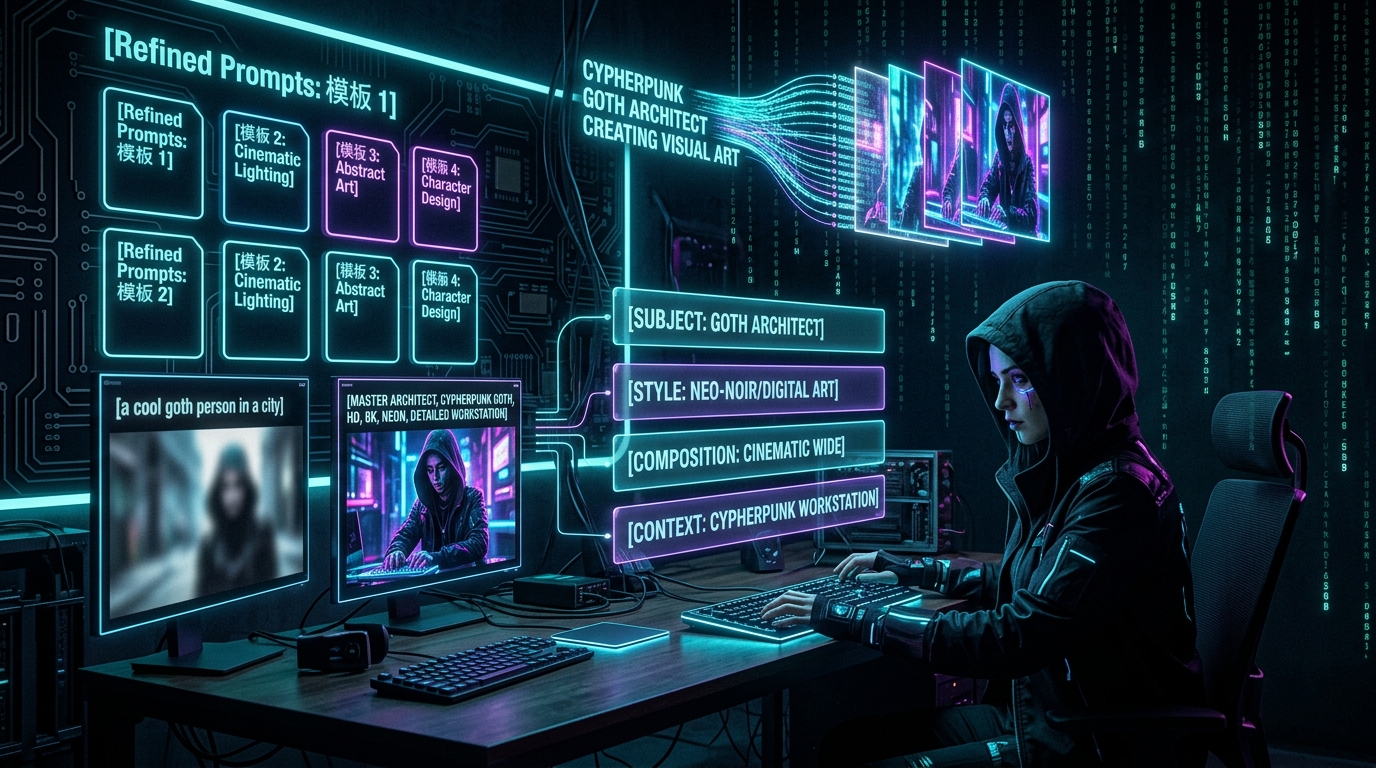
A working image prompt has four layers. Most people write one or two
and wonder why the results are inconsistent.
Layer one: subject. What is in the image? Not a
vague concept — a specific, visualizable subject. “A trading desk” is
weak. “A holographic trading desk floating in void with translucent neon
overlays” is strong. The model needs concrete visual nouns, not
abstractions. Every word in the subject layer should map to something
you could photograph or draw.
Layer two: style. What does it look like? This is
where brand identity lives. The cypherpunk goth aesthetic — dark
backgrounds, neon cyan and violet glow, circuit board patterns,
matrix-style digital rain — is a style specification, not a mood. A
style specification is a list of visual elements that appear
consistently across every generation. When you generate fifty hero
images for a blog series, the style layer is what makes them all feel
like they belong to the same brand. Without it, each image is a
stranger.
Layer three: composition. Where does everything sit?
“16:9 aspect ratio” is a start, but composition is deeper: foreground,
background, focal point, depth of field, lighting direction. “High
contrast, cinematic lighting, technical elegance” are composition
instructions. They tell the model how to arrange the elements from
layers one and two into a coherent frame.
Layer four: context. What is the image for? A blog
hero image needs different properties than a social thumbnail or a
product mockup. The clipping-agent pipeline knows this — it generates
vertical crops for TikTok/Reels and horizontal crops for blog headers
from the same source material. The prompt should encode the intended use
so the model optimizes for that context.
Most failed prompts have a subject and maybe a style. The composition
and context layers are what separate a snapshot from a narrative.
Why luck is not a strategy
The media pipeline generates images on a schedule. Articles need hero
images. Product launches need visuals. Social posts need clips and
thumbnails. You cannot afford to generate ten variations and pick the
best one every time — that is a tenx cost multiplier on every piece of
content. The pipeline needs to get it right on the first or second
attempt, reliably.
This is where prompt engineering becomes a production discipline
rather than a creative experiment. The ai-animation-factory runs batch
jobs that produce dozens of frames per minute. Each frame inherits the
prompt structure from the previous one. If the base prompt is weak,
every frame in the batch is weak. If the base prompt is strong, the
batch produces a usable sequence with minimal post-processing.
The clipping-agent demonstrates this at scale. It takes a source
video, identifies scenes, and generates clip suggestions with
auto-detected timestamps. But the caption generation — the text that
accompanies each clip — follows the same four-layer prompt structure.
Subject (what happens in the scene), style (tone and voice), composition
(length and format), context (platform-specific requirements). The agent
does not guess. It follows a prompt template that has been refined
across hundreds of clips.
Luck produces one good image. Craft produces a pipeline that
generates good images on demand.
The feedback loop that
builds skill
builds skill
Prompt engineering improves through a specific feedback loop. You
write a prompt. You generate an image. You compare the result against
your intent. You identify the gap. You adjust the prompt. You generate
again. This loop is identical to the simulation-mode engine’s approach
to content: replay real data through real rules, score the outcome,
promote or reject.
The difference is that the simulation engine does this
programmatically, across thousands of iterations. A human prompt
engineer does it manually, across dozens. The skill develops not from
reading documentation about diffusion models, but from running the loop
enough times to internalize the patterns.
The KOT media skill codifies this loop. The image.py
script takes a prompt, a model, an aspect ratio, and an output path. It
does not interpret your intent — it executes your specification. The
quality of the output is entirely determined by the quality of the input
prompt. This is deliberate. The tool is a precision instrument, not a
creative partner. The craft lives in the prompt, not the pipeline.
ComfyUI extends this principle into node-based workflows. Where a
single prompt produces a single image, a ComfyUI workflow chains
multiple generation steps: initial generation, refinement, upscaling,
style transfer, compositing. Each node in the chain accepts a prompt or
a parameter set. The workflow is itself a prompt — a structured
specification of how to build a complex visual from simple components.
The creative-pipeline pattern treats every visual asset as a composition
of smaller, controllable elements rather than a monolithic
generation.
Building a prompt library
The most valuable artifact in a media pipeline is not the images — it
is the prompt library. A library of tested, refined prompts organized by
use case is the difference between a pipeline that works and a pipeline
that requires an expert operator every time.
The structure is simple. Each prompt entry has: the use case (blog
hero, social thumbnail, product shot), the full prompt text, the model
that produced the best results, the aspect ratio, and a quality score
based on past generations. When a new article needs a hero image, you do
not write a prompt from scratch — you pull the blog hero template, swap
the subject layer for the article’s topic, and generate. The style,
composition, and context layers stay consistent because they have
already been refined.
The manifest.json files in the media generation directories serve as
a lightweight version of this library. Each entry records the prompt,
model, aspect ratio, and a quality status (keeper or reject). Over time,
the keeper entries form a pattern library — a collection of prompts that
have proven themselves in production. This is not documentation. This is
institutional knowledge encoded in machine-readable format.
From craft to pipeline
The transition from “I can write a good prompt” to “our pipeline
generates good images reliably” requires three things. First, a prompt
structure that separates subject, style, composition, and context into
explicit layers. Second, a feedback loop that scores every generation
against intent and feeds the results back into the prompt library.
Third, a toolchain — the media skill for single generations, ComfyUI for
complex workflows, the clipping-agent for video-derived assets — that
executes the prompts without adding interpretation.
The KOT ecosystem has all three. The media skill provides the
generation layer. The manifest system provides the feedback loop. The
clipping-agent and ai-animation-factory provide the batch processing
that scales craft into production. What remains is the human judgment to
write prompts that encode intent clearly enough for the pipeline to
execute without ambiguity.
That is the craft. Not luck. Not talent. Structure, repetition, and a
feedback loop that refuses to let bad prompts survive into the
library.
This is article S9.10 in the Media & Creative Pipeline
series. Previous: S9.9 “From raw footage to finished clip: the
clipping-agent pipeline.” Next: S9.11 “Batch generation: scaling visual
assets without scaling cost.”