
The clipping agent: Telegram-triggered video for Lucid Studio
The problem with creative pipelines
Creative production has a velocity problem. You see a reference image, a mood, a moment — and by the time you have opened the right tool, configured the right workflow, and loaded the right model, the inspiration has cooled. The creative pipeline is not broken because the tools are bad. It is broken because the distance between intent and execution is too long.
For Lucid Studio, this distance was measured in minutes. A designer spots a reference on Instagram, saves it, opens ComfyUI, loads a workflow, tweaks parameters, generates, evaluates, iterates. Each step is small. Together they form a friction gradient that kills velocity. The clipping agent solves this by collapsing the distance to a single message.
What the clipping agent does
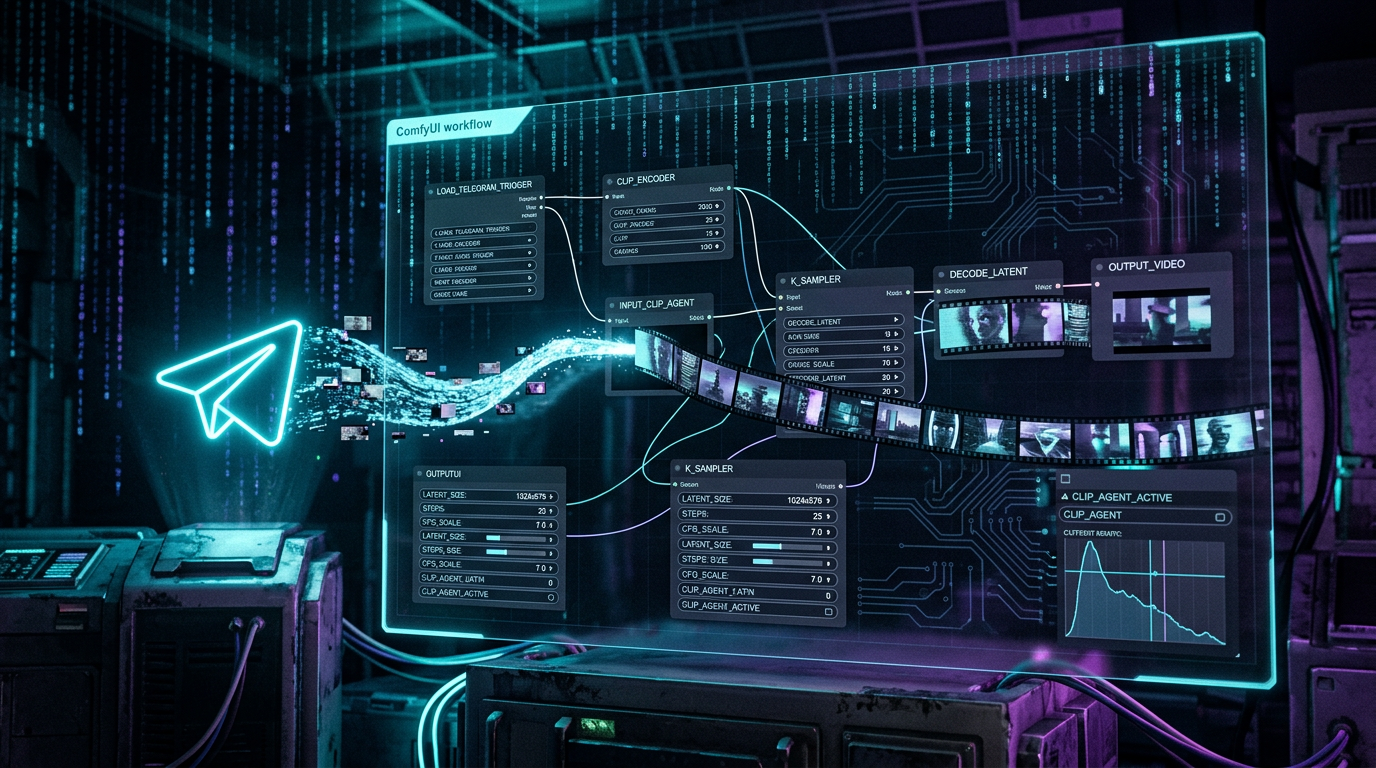
The clipping agent is a Telegram-triggered pipeline that converts a message into media. Send a photo, a video clip, a text prompt, or a URL to the agent’s Telegram bot, and it triggers a ComfyUI workflow that generates output — images, video, animations — without the sender ever opening a browser.
The architecture is simple but the implications are significant. Telegram acts as the universal input surface. The bot receives the message, extracts the intent (image reference, text prompt, or mixed), resolves the appropriate ComfyUI workflow, submits the job, and returns the result to the same Telegram thread. The entire round trip — from “I want this” to “here it is” — happens inside a chat interface that the team already uses for everything else.
This is not a chatbot with media capabilities bolted on. This is a media pipeline with a chat interface as its front door. The distinction matters because it determines what the system can become.
The Telegram surface
Telegram is the ideal trigger surface for a creative pipeline for three reasons. First, it is already where the team communicates. Adding a new tool means adding friction; adding a capability to an existing channel means reducing it. Second, Telegram supports rich media input natively — photos, videos, documents, voice messages, URLs with previews. The bot can receive the same variety of input that a creative team generates. Third, Telegram’s bot API is stable, well-documented, and supports async operations — the bot can acknowledge a request immediately, process it in the background, and deliver the result when ready.

The bot’s input protocol is deliberately minimal. A photo with a caption triggers image generation using the caption as a style prompt. A text message triggers text-to-video. A URL triggers a fetch-and-transform operation. The bot infers intent from the message type and content, not from slash commands or menu navigation. The less the user has to think about the interface, the faster the pipeline runs.
ComfyUI as the engine
The clipping agent delegates all media generation to ComfyUI. This is a deliberate architectural choice. ComfyUI provides a node-based workflow system that is simultaneously powerful enough for complex generation pipelines and transparent enough for non-technical team members to understand what is happening.
Each workflow in ComfyUI represents a generation recipe. The clipping agent maintains a registry of workflows mapped to intent types: text-to-image, image-to-image, text-to-video, image-to-video, style transfer, upscale, animate. When a Telegram message arrives, the agent selects the appropriate workflow, populates its inputs from the message content, and submits the job.
The workflow registry is the creative pipeline’s knowledge base. Each workflow encodes accumulated creative decisions — which models produce the Lucid Studio aesthetic, which parameters yield consistent quality, which post-processing steps ensure brand alignment. The registry is version-controlled, auditable, and extensible. Adding a new generation capability means adding a new workflow to the registry, not rewriting the agent.
The ai-animation-factory connection
The clipping agent is the entry point to the ai-animation-factory — Lucid Studio’s system for generating animated content at scale. The factory takes raw creative input and processes it through a multi-stage pipeline: initial generation, refinement, animation, compositing, and output formatting. The clipping agent handles the first mile of this pipeline: converting a Telegram message into a structured generation job that the factory can process.
This separation of concerns is important. The clipping agent is a thin trigger layer — it does not make creative decisions, it routes them. The factory is a thick processing layer — it applies the creative decisions through a series of specialized stages. Together they form a pipeline where creative intent flows from a chat message through a structured generation process to a finished asset.
The factory’s multi-stage architecture enables quality control at each step. Initial generation produces raw output. Refinement applies style consistency checks. Animation adds temporal dynamics. Compositing layers elements together. Output formatting ensures the final asset meets delivery specifications for each distribution channel. The clipping agent triggers the first stage; the factory’s internal orchestration handles the rest.
Why this matters for Lucid Studio
The clipping agent changes the economics of creative production. When the distance between intent and execution collapses, the volume of creative experiments increases. The team can test more ideas, iterate faster, and discover more high-performing concepts. This is not about replacing human creativity — it is about removing the infrastructure friction that prevents human creativity from expressing itself at its natural rate.
The Telegram-triggered pipeline also creates a natural archive. Every creative request, every generated asset, every iteration is logged in the Telegram thread. This archive becomes training data for future creative decisions — which prompts produced the best results, which workflows were most reliable, which styles resonated with the audience. The pipeline generates content and metadata simultaneously.
For Lucid Studio, the clipping agent is not a feature. It is the foundation of a creative operation that scales with demand rather than with headcount. The pipeline runs 24 hours a day, processes unlimited concurrent requests, and never loses context between sessions. The team’s role shifts from producing individual assets to curating the pipeline’s output — selecting, refining, and deploying the best results.
Building the pipeline
The clipping agent’s implementation follows the Council architecture’s principles. The Telegram bot is a thin client — it handles input parsing, job submission, and result delivery. The ComfyUI engine is the processing core — it handles generation, refinement, and output. The workflow registry is the knowledge base — it encodes creative decisions in a version-controlled, auditable format.
The pipeline is built on the same infrastructure that powers the rest of the KOT ecosystem. The Hermes agent framework handles message routing and session management. OpenClaw provides the tool orchestration layer. ComfyUI provides the generation engine. The Council’s monitoring and alerting infrastructure watches the pipeline for failures, latency spikes, and quality degradation.
This is not a standalone project. It is an extension of the existing infrastructure — new capabilities built on proven foundations. The clipping agent leverages what already works and adds what is missing: a fast, frictionless interface between creative intent and media generation.
This is article S9.1 in the Media & Creative Pipeline series. Next: S9.2 “ComfyUI workflows as version-controlled creative recipes.”